Showing posts with label single layout. Show all posts

Monday, July 18, 2011

Goodbye Moorea...

Goodbye Moorea, and goodbye flash on the camera! After few different shots of us sitting on that coach, the gorilla pod lost its balance and grip on the opposite chair that the gorilla pod was gripping, the camera fell backward dropped onto the marble floor. The flash broke instantly. :(

I kept the page simple. I asked Tommy to participate in this layout as well. I decided to use a beige color cardstock as my background.

I decided to use 1 photo only for my layout. Because the hotel lobby was very opened, bright and green, I decided to stick with a theme in this layout with similar color to the picture. I found a pattern green & white paper. I decided to use it to cut the font from my Silhouette Digital Cutter. After cutting it out and removing the letters from the carrier sheet, I noticed that the fonts was too light if I decided to adhere them onto the cardstock. I decided to cut another set of the letters with brown cardstock to make the other pattern stand out on the page.

I decided to create use my digital cutter to cut out the photo corners. I used a different green pattern paper to cut out the corners. To keep it uniformed, I also cut out another set of photo corners to put behind the pattern paper.

I adhered the picture over the photo corner.


I asked Tommy to write about his Moorea experience. He kept his journal short, partially because he forgot most about his trip, other than how excited he was, looking forward to Bora Bora that day!


As for me, I also wrote a journal. I managed to squeeze so much in with so little space provided for myself. I retained a lot of detailed information in my mind (I called them... unnecessary information!) I usually write small, but I think I wrote even smaller in this.

I decided to cut 2 pieces of green cardstock to adhere behind the 2 journals. I had some small blue flowers and decided to use them. I added rhinestones the flowers to give a little bling to my page.

That's it for Moorea! Follow my travel blog on my travel experience!

Saturday, June 25, 2011

Beautiful Sunset

What I missed the most in Moorea was the time where Tommy and I could hang out and watch the sunset. I love watching the beautiful sunset by the lookout. It had an unobstructed view.

I decided to use a orange cardstock as background. Do you recall my Le Matiehani page? I used the same glitter pattern paper for this project. I bought extra at the scrapbook store in case I mess up, I still have an extra cardstock for me to work on. I managed to not make a mistake on my other layout. I was able to save the extra cardstock for another project. This layout was totally calling for it.


Instead of wasting such beautiful paper, I cut out four strips of 1x12. I used runner tape and adhered to each side of the orange cardstock.

I used my digital cutter to cut out 4 photo corners. Instead of using all 4 for one picture, I decided to use 2 corners for each of the picture for the project. I looked through my quote stack to see if there was anything I could use. I found "What a view..." in the stack. It was perfect! The color matched with the project coincidentally. I created a frame for the vellum quote as the vellum was orange. If I were to stick it over the orange cardstock, the quote would not stand out.

I also found a matching flower in my flower collection and decided to use it. It seem to go well together.


I also used my digital cutter to cut out the font. I used the Xyron X to create the sticker for the letters so I could easily adhere the letters onto the page. For the 4 photo corners, I also ran them into the Xyron X, 2 times. The first time I ran them through, I added fine white glitters on them. After dusting all the excess, I ran it through to get the other side sticky to adhere to the cardstock.

I like this page alot. It looks very simple, but pretty at the same time. I loved how I made use of the glitters on the photo corners. It gave a little bit of a sparkle, like how the water sparkled when the sun is hitting the water.

Monday, June 20, 2011

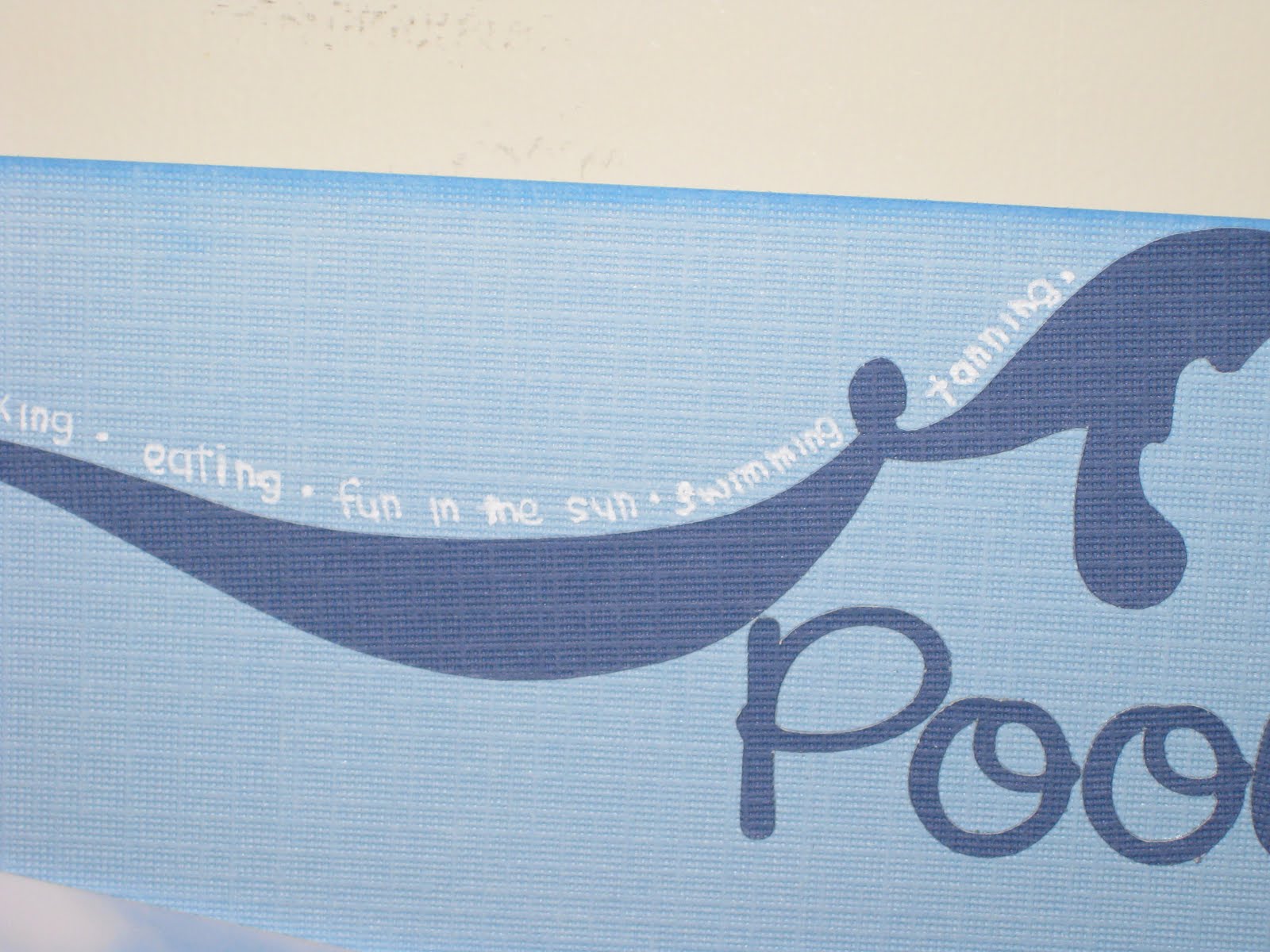
Pool

I love the pool at the resort. If the sky is the limit, and money is not an issue, I totally love to have a similar version in my own backyard! For now, I will continue to dream about my dream house and pool.

With the underwater case, we were able to take some cool videos and pictures in the water. I used some underwater pictures for some of my scrapbook pages. Stay tune for my blog! I am also writing in my travel blog, about my travel experiences, things that caught my eyes on the trip.


For this single layout, I used a light blue cardstock as my background. I used a blue ink chalk to chalk all four sides of the cardstock. I picked 2 pattern papers to compliment the colors for my layout. I kept it simple. I also used ink chalk to chalk all sides of each strip.

I overlapped part of the 2 strips of pattern papers. I resized and arranged all the pictures. I added 2 flowers and secured with a brad.


I used my digital cutter and cut out a corner flourish and the letters. I adhered the corner flourish with the runner tape. I used the Xyron X to create the sticker for the letters.

I used a white pen and wrote out the different types of activities we did by the pool side. Instead of writing a journal, I decided to use short phrases, single word adjectives and verbs instead. I had no other place to write them, other than along the side of the flourish. From far away, it looked like I was adding an additional color to the flourish design. When you look closely, it was actually words.

I enjoyed working this page. It was something different. It was my first time writing a different style of journaling. It was a bit of a challenge for me because I like to write alot of details. With such little space, I had to be straight to the point. I usually write very small, I was able to squeeze everything I wanted to write in there.


Saturday, June 18, 2011

Kayaking

The resort has kayaks for guests to kayak out. We didn't go too far though. We kayaked out, outside of the overwater bungalows. The water got pretty deep once we were out there. I enjoyed watching the sunset on the kayak. I was pretty scared kayaking as I didn't know how to swim. Thank goodness that there was no waves. Although I had the life jacket on, I wouldn't know what would happen to me.

I decided to do something different to this page. I decided to test out my new circle cutter. I decided to use blue cardstock as the background. I found a water pattern paper in my stash. I used the curvy cutter to cut out a circle.

I also use the curvy cutter to cut out some pictures in circles. I used the silhouette digital cutter to cut out the fonts. I used a light blue chalk to add a little color on the font. I added gem stones on the letters.

This is not my favorite page. I am not really used to designing my layouts with circles. I had a difficult time putting this page together.

If I could redo this page, I probably would redo this page completely. I would change the font and would put the pictures in different ways other than putting them in a corner.

Friday, May 27, 2011

Perfect Moment

This is one of my favorite pages in this Tahiti scrapbook! This was totally out of my comfort zone and the outcome was amazing! It was a privileged that I was able to go to Tahiti. I was able to enjoy sunsets in Moorea every night. Tommy was able to capture such beautiful sunsets. I couldn't help but must create a layout for it to treasure the memory.

The page was quite simple. I used a cardstock that has a pre-printed pattern on the layout. The design on the cardstock has glitter on them too! I used the Citrus stack from DCWV.

When I buy paper stacks, if there's matching cardstocks, I would buy them too! I do that because they can easily compliment each other to lessen the headache from time to time, trying to find the right color to match.

For the frame around the picture, I used the Citrus cardstock stack from DCWV. The yellow cardstock was perfect when I put this layout together! I used my silhouette digital cutter to cut the title out.

I picked up a Xyron "X" sticker machine. I was able to cut the font much smaller! I put all the letters in the machine and it created stickers for me. I love the Xyron! It took my creativity to a whole new level.

I also added flowers as embellishments. I used 2 different sizes flowers and put them on top of each other and put a rhinestone on top of it.


I decided to do something different on my journaling. Instead of writing a small journal on how I felt or my experience, I decided to write create a poem for this layout.

Wednesday, May 18, 2011

A Good Day...


A Good Day starts with a Good Breakfast! At the Moorea Pearl Resort & Spa, our breakfast was complimentary. There's a good variety of food at the buffet every morning. However, they serve the same thing daily. What I loved the most there was the pineapple juice! That was the only juice I drank every morning. It was sweet and it was really yummy! I hope to see Moorea pineapple juice distributes here soon!

I decided to create a layout for our daily breakfast. I picked a dark brown cardstock as background and used tiki pattern cardstock to layer it over the brown cardstock. I kept the page simple. I used one picture and wrote a long journal.

I decided to give a catchy title. I remembered one of the waitresses told us that it is a good day when we start with a good breakfast. I decided to quote her statement and used it as a title for my layout.

I cut the fonts with my digital cutter with white cardstock. I used a brown ink chalk to chalk the letter to resemble the sands on the beach.

I also purchased corner edges from Silhouette. I used the Silhouette digital cutter to cut the 4 photo corners. Again, I chose to use ink chalk to chalk the edges of the photo corners. Afterwards, I used the runner tapes to tape the photo corners directly onto the four corners of the picture.

I decided to write a journal about my breakfast experience while we were in Moorea. I wrote about the food we had at breakfast, what I liked and what I didn't like (omelets!) I am not a big fan of omelets, but after this trip, I can not eat omelets. I can only have 2 bites of it, and I am done. I am not allergic to any of the ingredients in the omelets. I have no problem eating them separately. Once they are put together, I have a problem with the aroma of the omelets. My mind and body just shuts down.

As for the journal, I also used the ink chalk to chalk around all the edges. I accidentally inked a spot in the middle of the journal! To cover up the mistake, I decided to use the ink chalk creatively by lightly pressing the ink chalk randomly on the paper to hide the mistake. That became a different look and I thought it was kinda nice.

Monday, May 16, 2011

Beach Day


The color of the page had to be adjusted as it came out too dark! :(

Our beautiful resort has a beach on its property! We didn't even have to walk out of the property to see the beach. After breakfast on Sunday, May 24, 2009, we took a stroll and walk down to the beach. The day was beautiful, the sun was warm and the water was at room temperature! We decided that we would spend the day at the resort to hang out, relax and do absolutely nothing. Well, not exactly did nothing, we kayaked, snorkeled, ate, all the fun activities that the resort had offered for us.

I decided to do a single layout for this page. I used a light brown cardstock as a background. I used brown ink chalk to chalk the sides of the paper. It made the paper stood out. I kept the layout simple. I used only one picture for this layout.

I cut the letters out with my digital cutter. I cut out 2 sets of the same letters with 2 different sheets of paper. I picked blue and a sand patterned paper. I kept the blue letters as the base and cut the sand patterned letters in half with a wave effect. I kept the top half of the letters and overlaid it over the blue.

I used the brown ink chalk to chalk around the top part of the letters.


I cut out a square of from a blue cardstock and used it for a journal. Again, I used the same brown ink chalk to chalk all the edges. I wrote my journal and punched a small hole on the top of the journal and secured it with a small bronze brad as decoration.


I purchased a wave design from Silhouette. I decided to cut the waves in 2 colors - white and blue.

I added the seashells onto my page as embellishments. I used Jolee's Boutique.


If I were to fix this layout, I would add a frame around the picture.

Saturday, May 14, 2011

Around Town

There were some small shopping centers close to the resort. It was walking distance. However, with such heat under the sun, it got pretty difficult to walk. We went to the nearby market a couple times to pick up snacks, food, juice, and water to enjoy back in our hotel room. Every morning, at around 4 or 5 in the morning, we would be woken up by rooster with his wake up call. I guess the locals are early riser! While we were walking, we would see roosters around.

I decided to do a single layout. I used a green cardstock and used a lighter green pattern paper to overlay the cardstock. I used the digital cutter to cut out the title. There weren't many pictures taken around town by us.

I used a corner punch and rounded one corner for each picture. I also resized the pictures to fit all the pictures inside the pattern paper.

Wednesday, May 4, 2011

Magic Mountain


The locals called this place as "Magic Mountain." Our tour guide told us that it was private property. The road up to the top of the mountain was windy, and bumpy as the road wasn't paved! It was a one car road up and down the mountain. The driver had to be really careful of the opposite cars coming toward our direction. It was about a 15 minutes ride up to the mountain. It was worth the bumpiness! Tommy recorded on the camera the whole time of the journey up to the top. The view was gorgeous.

I decided to do a single layout for this page. I decided to use blue cardstock as the background and used a lighter blue color pattern paper to layer over the cardstock. I decided to use blue color for this layout because of the picture that was used for this page. I accented the page with white color. Blue and white colors can never go wrong in any layout! :)


I cut out the fonts from my digital cutter and used tape to tape down the letters onto the page.


I wrote a small journal on a white paper, then taped the white journal onto a lighter blue cardstock. I cut out a piece of ribbon long enough to cover the top of the tag and to make a bow. I randomly picked somewhere on the ribbon to create the bow. As you can see, the bow was more to the left side of the journal. That was because one side wasn't long enough if I were to put the ribbon down the middle.


I cut the corner flourish from my digital cutter. I used blue gems and randomly placed them on the flourish. I could probably could use a couple more gems to put on there.


I love this layout. I like the ribbon on the journal. I think having the bow on the side looked better than putting the bow in the middle.

Monday, May 2, 2011

Belvedere Lookout

Oh, the mountain that sits in between the 2 bays! They called it as "Belvedere Lookout." The view was amazing! I love this picture.

This was a single layout page. I decided to use a green cardstock as background and use a blue, green pattern paper as a foreground of this layout. I kept the layering very simple. I cut the pattern paper into 11x11. I made mats for the photo and the journal.

I decided to type up my journal instead of writing it by hand. I don't have the best handwriting in the world. I know it gives a personal touch if I were to write it by hand. However, I just wanted to give a clean and neat look on my layout, so I typed it up instead.


The only embellishment that I added to the page was the flower brad. It was a green flower with purple accent in the middle. It drew the attention to the journal when I looked at the layout.

I love this page alot. It was a very simple looking layout. I wouldn't do anything to change the layout of this page. I believed I had trouble lining things up in the middle. If you look closely at the layout, you will see that it panned to the left.

Next time, another single layout, almost similar to this one.

Have a great day! :)

Saturday, April 30, 2011

Cooks Bay, Opunohu Bay

It is a single layout for each of the two bays, but it's also a double layout for me. I intended to put the two bays layouts next to each other because when I was on the tour, I learned that the bays were separated by the mountain, Mt. Rotui. With that in mind, I wanted to put both of them next each other.

For the Cook's Bay layout, I decided to use blue cardstock as a background. I used a lighter blue pattern paper to layer on top of the cardstock. I cut out letters with my digital cutter and layered it over the blue pattern paper. I adhered the pictures onto the page and added a ribbon to the layout.
The ribbon matched the color of the 2 papers near perfectly. The ribbon helped blend the 2 papers together. I absolutely loved this ribbon! :)

For this layout, I decided to stick with a green theme. It was mainly because the pictures had alot green colors. I decided to do a similar layout to match with the Cook's Bay layout. I decided to layer a pattern green paper over the green cardstock. I also cropped the bottom 2 pictures so they could fit inside the pattern paper.

I used my digital cutter to cut out the fonts. I used a different font from the layout because the name, Opunohu Bay, was much longer than Cook's Bay. I wanted to use the same font, but it turned out I couldn't fit the entire title to my layout, I had to decide on a next plan.

Monday, April 25, 2011

4x4 Safari Tour

The 4x4 Safari Tour was our only guided tour we booked in Moorea. If we had more time, and if the sky was the limit when it came to money, I would totally do Shark & Ray feeding, or Dolphin & Whale tour with Dr. Poole, etc. However, with limited time and money, we chose to do a Safari Tour. I believed I made the right decision when I tried to convince Tommy to do a 4x4 Tour! The island was so beautiful and green! It was breathtaking. (You will just have to stay tune for the layouts to see!)

The colors, blue & green, was based on the picture I used for this layout. I cut out the letters from the Silhouette digital cutter. I cut the letters a bit bigger so I could easily tape down the letters onto my layout.

I kept the layout simple by cutting 2 blue squares from a pattern paper to create a grid for the background. I chose a brighter green pattern paper for the center of the page. It created a focus to the center of the layout.

I used 3-d foams to raise the "4x4" letters.

The embellishment that I used for this layout was the Jolee's Boutique Safari dimensional stickers.

If I were to work on this layout again, I would make the date of the event smaller. I would also move the picture down, so the top half of the page is not so cramped together.

Wednesday, April 13, 2011

Air Moorea

Our travel itinerary did not include being in Tahiti. Once we cleared customs, we walked to other side of the airport to fly out to Moorea! Moorea was only 10 minutes away by plane! It was my first time to be flying in a 2-propellers plane. The view was amazing because the plane was flying a bit low, we could see the corals underneath the crystal clear water.

I decided to use grey color as background with orange accents. I chose that because I used the color based from one of the pictures taken and used for the layout. What caught my attention was the design of the Air Moorea. The plane was painted with orange hibiscus flowers. I purchased the hibiscus flower from silhouette and cut the design with orange cardstock paper to match the design on the plane. It was my first time to cut shapes other than fonts from the cutter. I picked out the grey background because the picture was a bit gloomy that morning.

I kept this page simple. I cascaded the pictures and wrote a small journal.

What I love about this page is the simplicity of the layout. I like the journal tag I created. The ribbon matched perfectly with the rest of the layout. There are some colors that I am not a big fan of, and I tend to keep the color to blue, green, white and black as they are more of the basic color for me to work with. The color orange considers to be quite daring, but I somehow pulled it off, and very happy with the result.

If I were to redo this page, only thing I would do is use a corner punch to round the corners of each picture. All three pictures were not cut into same size. I would make them all in equal length and width.

That's it for now. Follow me next time to see where Tommy and I headed to on our first day in Moorea!

Monday, April 4, 2011

Wine Tasting @ Santa Ynez Valley

Santa Ynez was my first wine tasting trip with Tommy. Believe it or not, after this trip, we fell in love of doing wine tasting tours and had to go to Napa Valley a month after. After we left Ojai, we drove up to Santa Ynez Valley for wine tasting. We watched the movie, "Sideways," and we picked two wineries off their list to visit.

This was a simple layout. I used only one sheet of cardstock as the background. I chose brown as the background because of the pictures in the background. Not only that, we went to visit in September, the beginning of Fall season. I wanted to use "earthy" tones for my layout.

I cut out fonts from my Silhouette cutter. Some of the fonts were smaller and they were difficult to put on the page because I didn't have the right tools to adhere them. When it comes to scrapbooking, I don't like to use glue unless it is absolutely necessary. I use runner tapes to tape everything down on the page. Not until I was 1/3 way into working on my first travel album, I decided to pick up the Xyron X to make my life easier.

For the smaller fonts, I had to pick out tiny stripes off the runner tapes and add the tapes to the font one by one by hand. I had to carefully place the tapes on each letter and had to make sure the tapes were not showing on the edges of each font.

The problem about this page was the printout of the wine map. I tri-folded the map, added a ribbon to wrap around the map, and taped the back of map to the layout. If the page doesn't have a protector cover, this would work. However, all my albums have protector covers for each sheet. I will have to cut a hole on the protector cover so I can access the map. When I have time, I will put try to figure out what to do.

As for embellishment, I decided to use rub-on to keep the page simple. The great thing about rub-ons is how simple it is to transfer designs to the project. All I need is a popsicle stick and continue to rub the design off the sheet. If done correctly, the entire design gets transferred to the project!

If I were to fix this layout, I would add frames to the pictures and round the corners with the corner punch. I would probably shrink the map to keep the entire map flat on the layout without the need to fold and write out the places we went on a tag.

Happy Monday!

Thursday, March 31, 2011

Ojai, CA


Ojai, a small little town in Ventura County, won my heart. I cannot forget how nice and peaceful the place was. I keep wanting to return for a longer stay on the weekend to spend more time in town. Ojai is known for the "Pink Moment." I tried to capture the moment on camera, but didn't seem to do too well.

I chose to use orange as a background and used pink and green pattern papers to put this single layout together. I kept the layout simple by alternating the pattern papers. This was my first scrapbook page that I used my Silhouette Cutter. I decided to do something simple, and cut letters with it. I also decided to overlap part of the pictures.


I decided to print out a google map to show the hotel we stayed, the restaurant we dined at to add a little extra touch to my layout. This way, I would never forget where I went when I visited Ojai back in 2008.

I liked the color of the page. I totally loved the cutter as I didn't have to spend hours to cut each letter out by hand! If I were to redo this page, I would give this page a new title, other than calling it as, "Ojai, CA."

Looks like this is my last entry for the month of March. Hopefully, I will continue to post just as much in April. I am doing my best to balance my time of posting and scrapbooking.

Tuesday, March 22, 2011

Happy Birthday Tommy!

This was my first layout created as a gift. It took many hours to complete this page. I had to cut everything out by hand. Every year, when I present the wrapped gift to Tommy, before he even unwrap his present, he knew exactly what I got for him. Well, he couldn't figure out what I had gotten for him that year. I caught him by surprise.

The title was very generic, "Happy Birthday Tommy!" I just didn't know exactly what to put as a title. The layout would look kind of empty if I didn't add a title to it. I took most of the time cutting out all the letters by hand. I had to do them twice. I had to print the letters in black and I also printed the letters on a blue cardstock paper. I probably took more than 6 hours cutting out the letters. I also added glitters to the blue letters as well to add a bit of sparkle.

Oops, how did I turn my page sideway to take this picture?

The second hardest part of this layout was the cutting of the swirl. I printed different swirl sizes to see which one would look the best before cutting it out. I printed the swirl on a white cardstock and used scribble paint to trace over the swirl. I added white glitters to the wet paint. When the paint dried up, the design would add a little bit of dimension, as well as some sparkle to the page. After the paint was fully dry, I used a knife to cut the swirl out. I had to be extra careful when I was cutting the swirl out. The most difficult part was cutting out the inside of the leaves.

I decided to do something different and created a double frame to the layout. Since it was my first time doing it, I had to create the frames several times to perfect what I wanted to look like. Because the frame was the focus of the page, I spent some time to do the measurement.

I added a small personal note to the page. It was like a birthday card/ scrapbook page/ birthday gift mixed into one.

Finished product, along with the frame

If I could fix the layout, I would move the letters lower because the letters were too close to the top of the frame. I didn't take the frame into account when I was putting this page together. The letters seemed to be positioned well without the frame. Once the frame was added, the top had been cut off.

With such hardwork, it surely paid off for my Christmas gift that year. Tommy had gotten me one of the most thoughtful gift I could ever imagine, the Silhouette Digital Cutter! :) Yay to no more cutting letters and delicate things with a pair of scissor! Yay to time saving! Yay to create more pages!